THE WORKFLOW
One project. Every moving part.
Nicely in motion.
Start with a project, then follow the work through quotes, deadlines, costs, invoicing, payments and tax. See the Beeswax interface at every step.
01 PROJECTS
A place for the whole job.
Create the project first. Keep the brief, people, files, milestones and money together from day one.
- Project dashboard
- People & files
- Team activity
Beeswax interface preview · Sample data
02 QUOTES
Put the numbers together.
Build a quote inside the project. Add line items, quantities, tax and discounts, then save another version when the brief changes.
- Line items & tax
- Multiple versions
- Templates
Beeswax interface preview · Sample data
03 QUOTES
Give it the once-over. Send it.
Preview the branded PDF before it goes anywhere, then send the quote to your client from the project.
- PDF preview
- Email delivery
- Client view
Beeswax interface preview · Sample data
04 QUOTES
A yes everyone can see.
When the client approves, mark the quote approved. The agreed scope stays visible to the whole team.
- Approval status
- Shared scope
Beeswax interface preview · Sample data
05 TASKS & MILESTONES
Turn the quote into a plan.
Bring quoted work into tasks and milestones, then give each piece an owner and a date.
- Quote line items
- Assigned tasks
- Milestones
Beeswax interface preview · Sample data
06 CALENDAR
See the dates coming.
Keep the next deliverables in view. Connect tasks to milestones and see the schedule in calendar or Gantt view.
- Upcoming milestones
- Calendar & Gantt
- Due dates
Beeswax interface preview · Sample data
07 TASK MANAGER
Everyone knows what is next.
See the team’s tasks together, filter by state and keep the work in a sensible order.
- Task states
- Assignees
- Priorities
Beeswax interface preview · Sample data
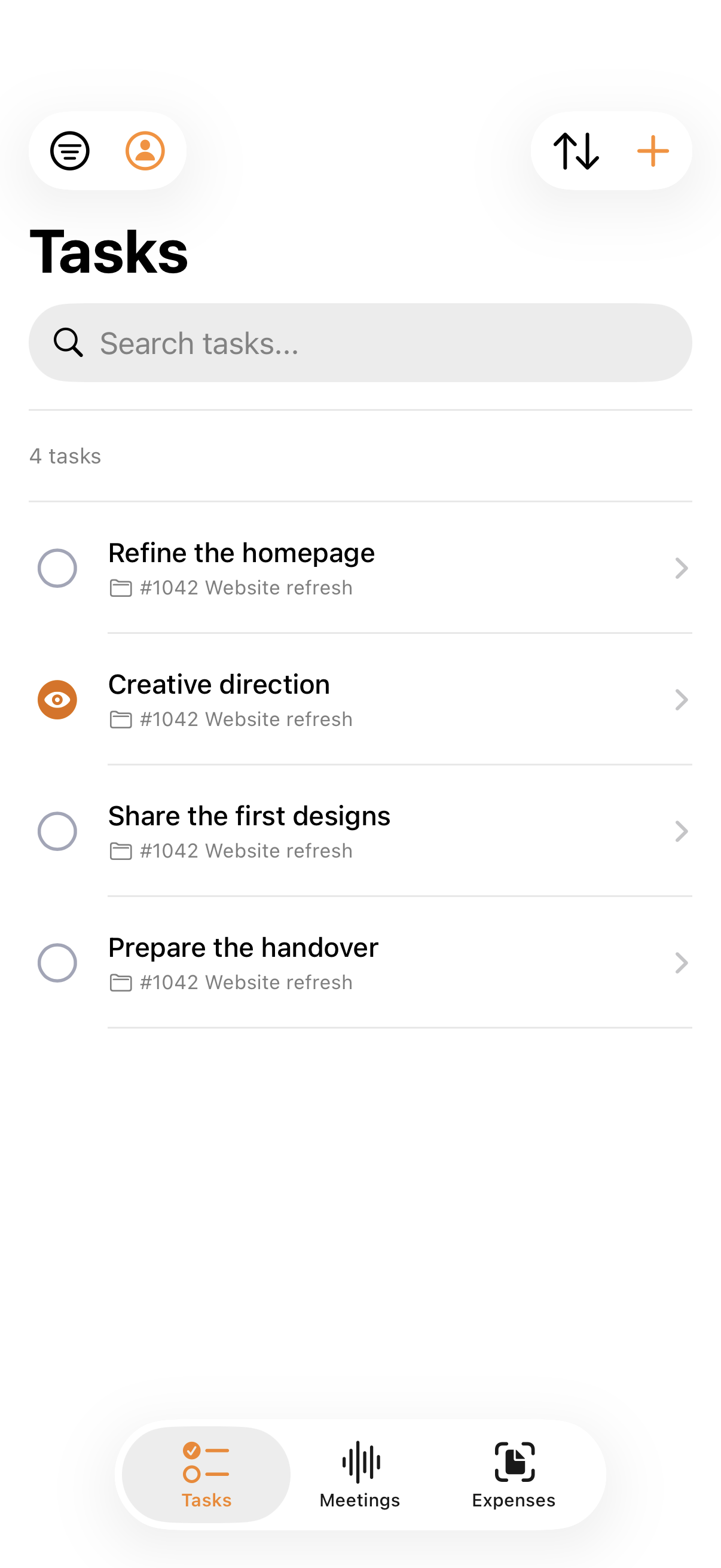
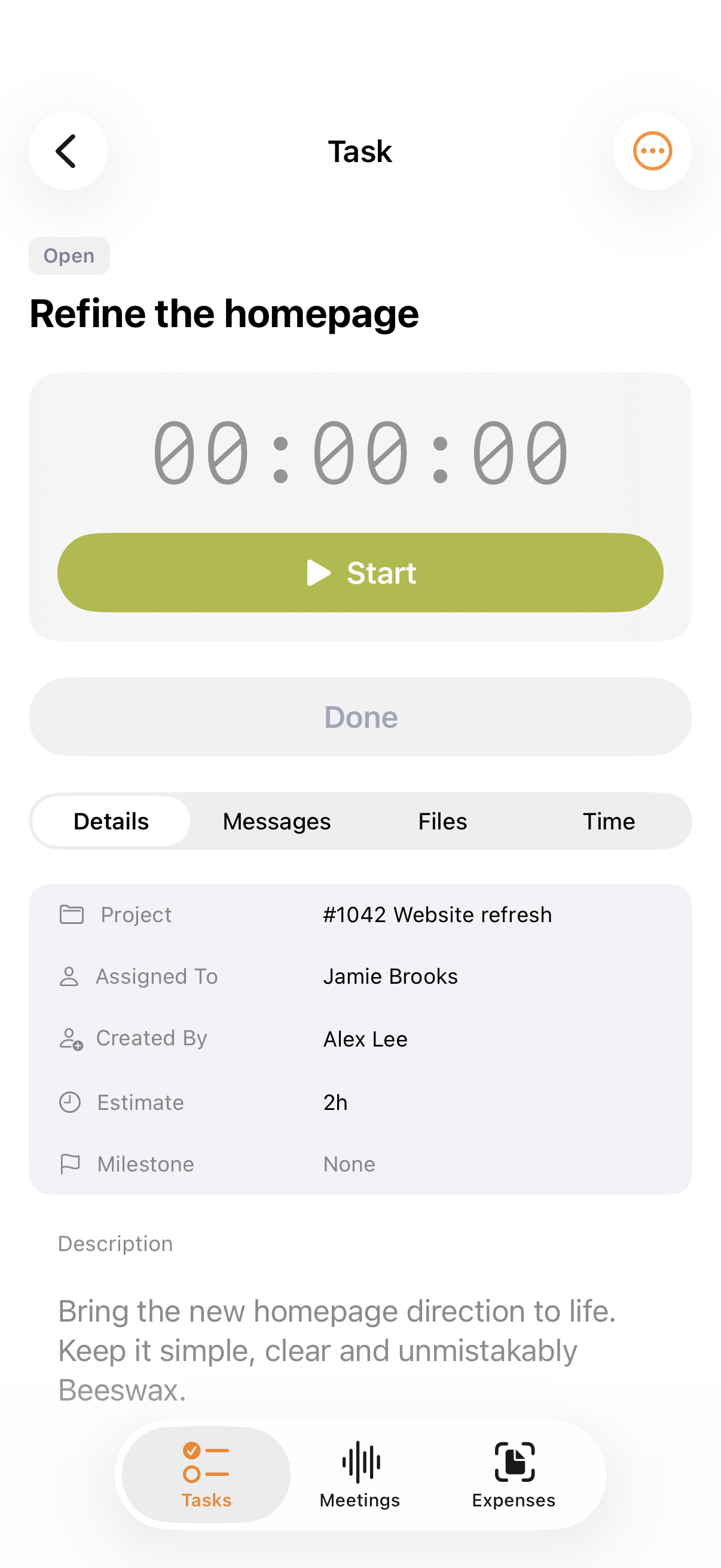
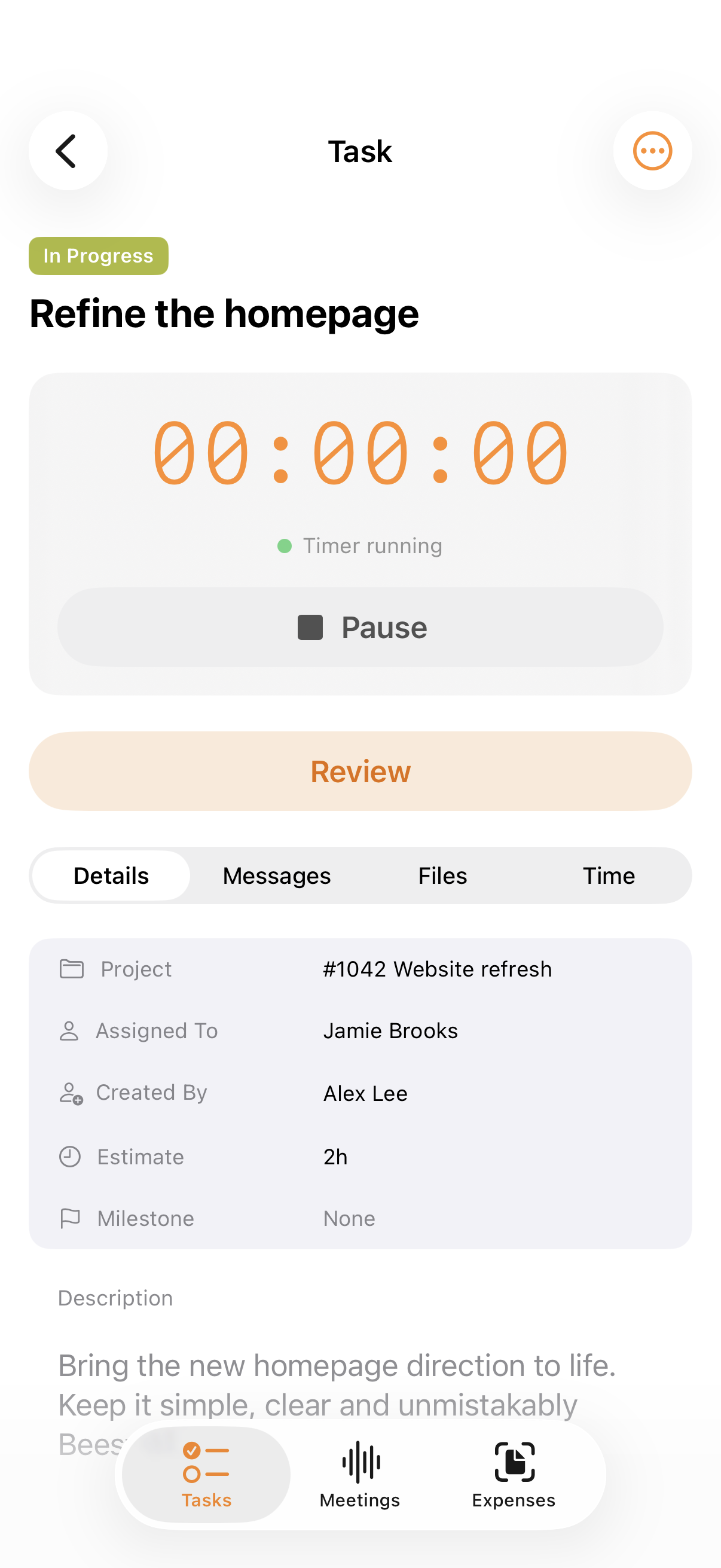
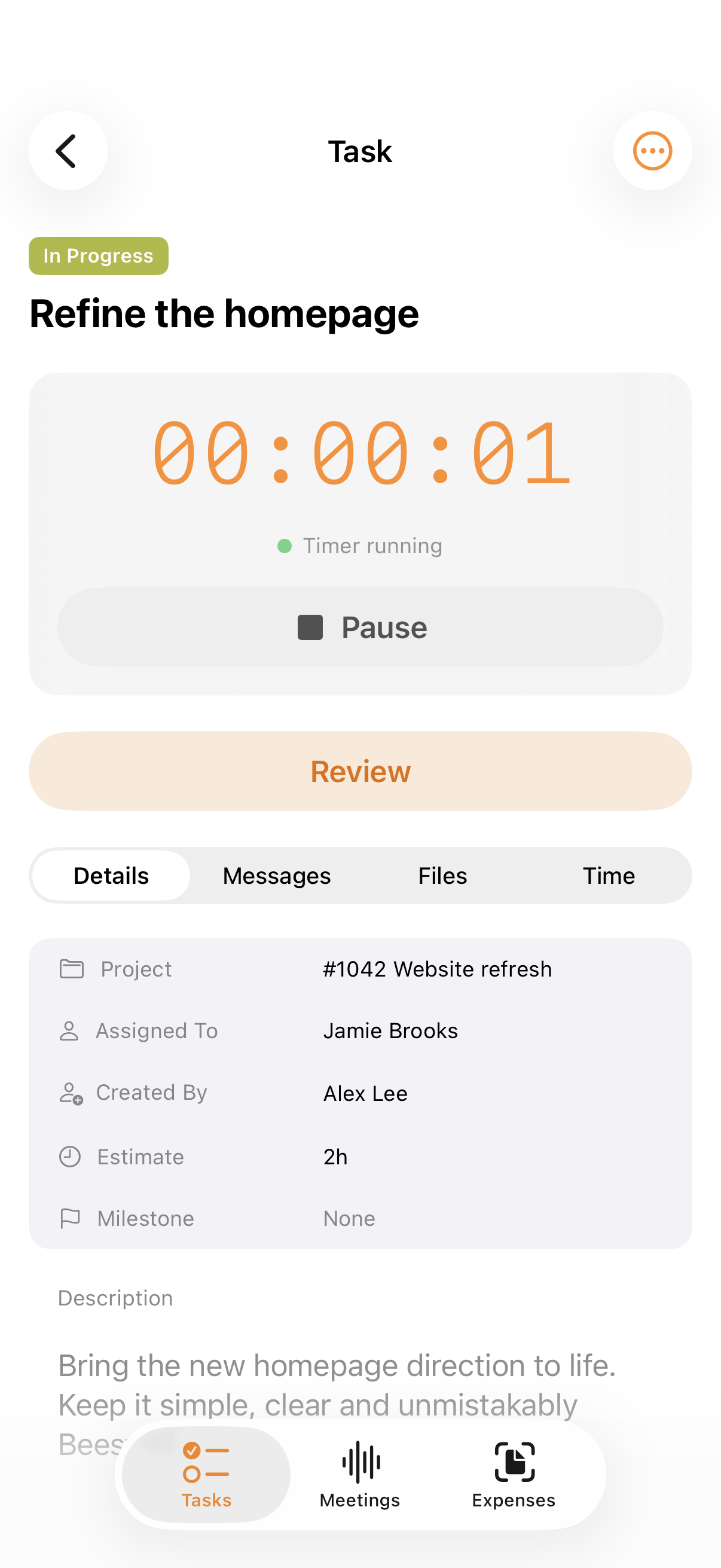
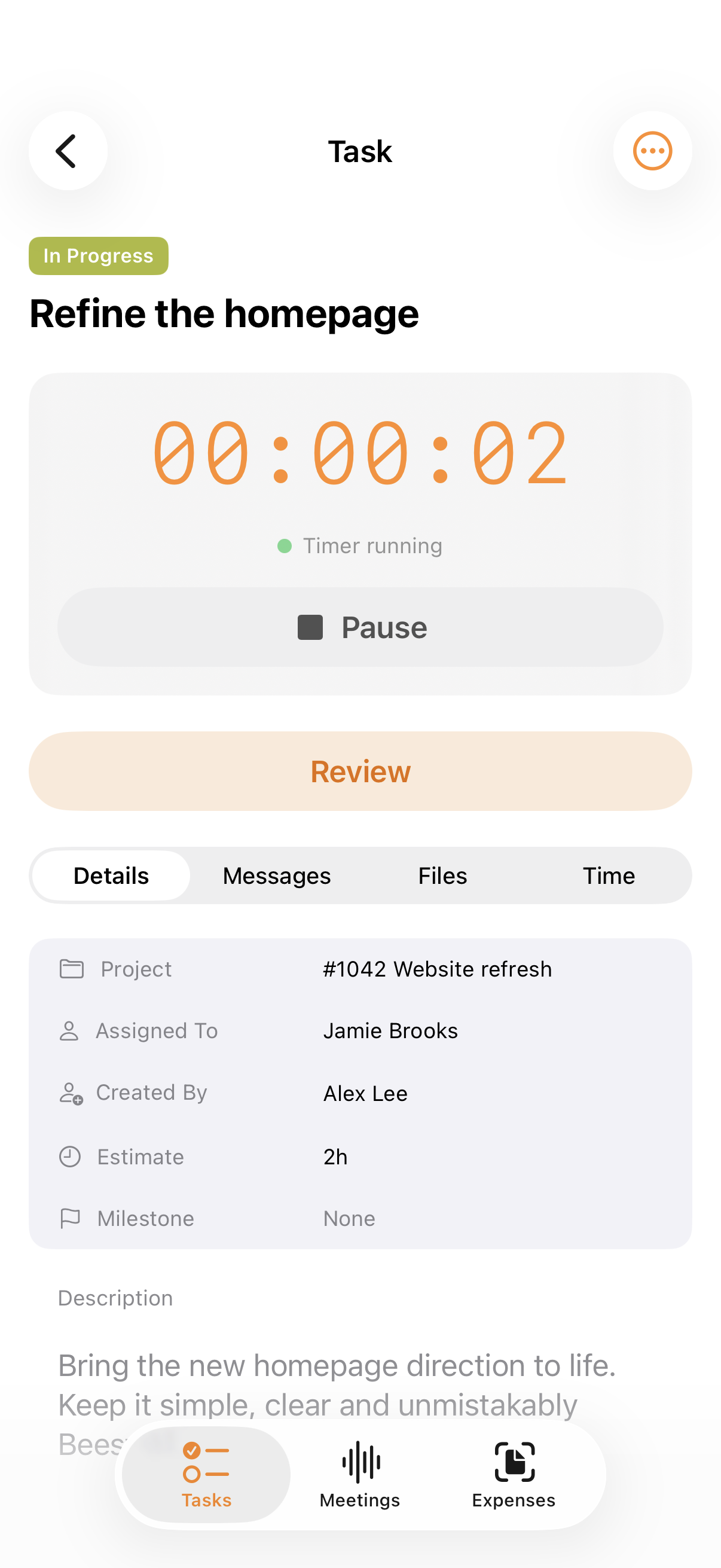
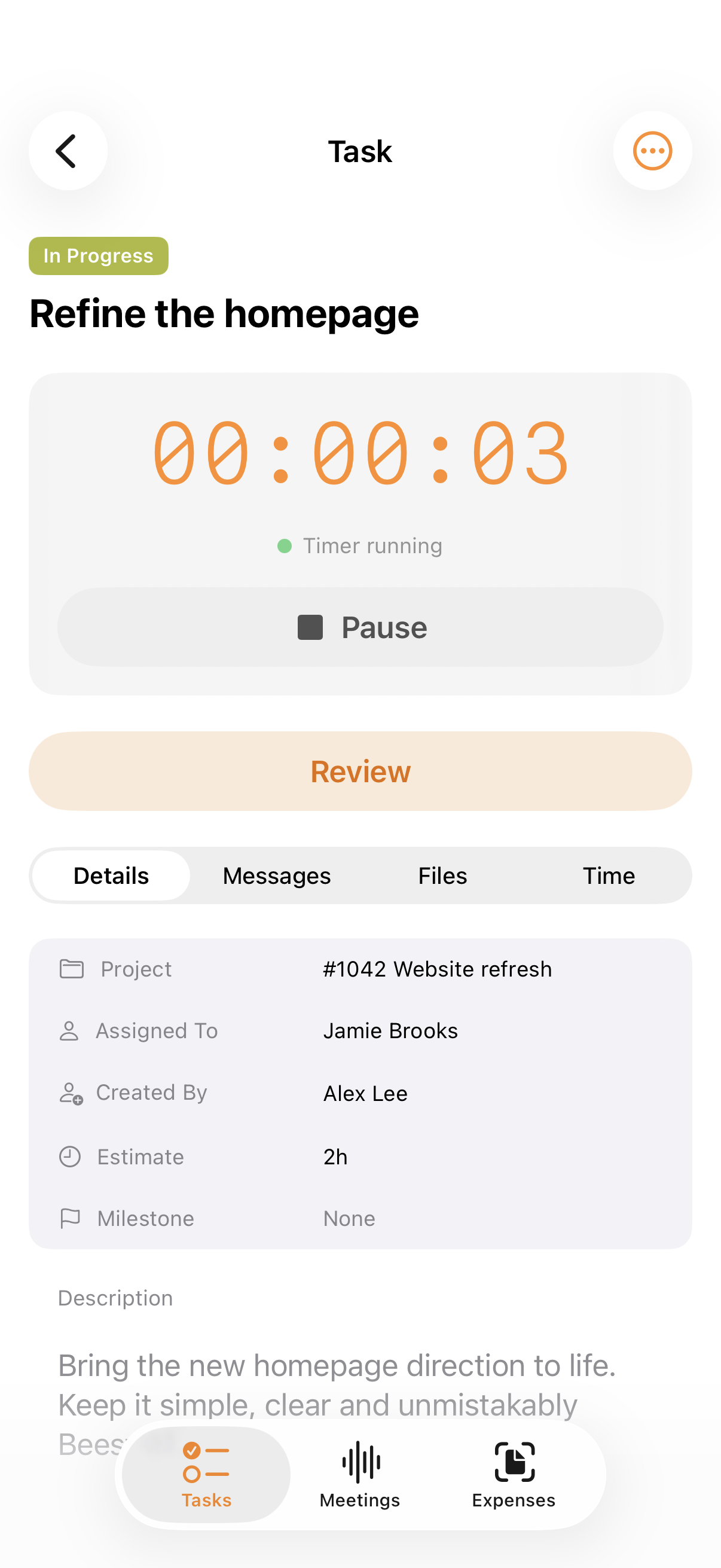
08 TASKS & TIME
Get to it. Keep track of it.
Open a task and start its timer while the work is happening, even when you are away from your desk.
- Task details
- One-tap timer
- iPhone app
09 TIME ENTRIES
See where the hours went.
Review time entries by task, person and project. The hours are there when you need to report on them or invoice them.
- Time entries
- Team hours
- Ready to invoice
Beeswax interface preview · Sample data
10 EXPENSES
Costs, where they belong.
Add project purchases and receipts as the work happens. You can see what the job costs while there is still time to act.
- Project expenses
- Receipts
- Products & services
Beeswax interface preview · Sample data
11 PROJECT FINANCIALS
Know how the job is doing.
Open the project Money view for income, expenses and profit. The financial picture stays attached to the work.
- Revenue vs costs
- Net profit
- Project snapshot
Beeswax interface preview · Sample data
12 INVOICES
Invoice the work you did.
Create an invoice inside the project using quoted items, time entries or a fresh line item. Check the document before it goes out.
- Project-linked invoice
- Time entries
- Document preview
Beeswax interface preview · Sample data
13 GETTING PAID
See who still owes you.
The Who Owes Me view shows outstanding invoices and what is overdue, so follow-up does not depend on memory.
- Outstanding balance
- Due dates
- Invoice status
Beeswax interface preview · Sample data
14 INVOICE PAYMENTS
Then mark it paid.
When the money arrives, the invoice’s status catches up. The project and the books both show where things stand.
- Finalised to paid
- Payment status
- Project record
Beeswax interface preview · Sample data
15 PAYMENTS
Keep payments moving.
Review what you owe, approve expense payments when required and record the money coming in against invoices.
- What I Owe
- Expense approval
- Payments received
Beeswax interface preview · Sample data
16 BANKING
Make the bank match.
Match the real transaction to the invoice or expense and reconcile the account. Your books catch up with the work.
- Bank matching
- Reconciliation
- Clear difference
Beeswax interface preview · Sample data
17 ACCOUNTING
Ready when tax time comes.
See the period’s sales, purchases and tax figures in the app’s reporting view. The work has already fed the books.
- Periodic tax report
- Sales & purchases
- GST summary
Beeswax interface preview · Sample data
From first brief to books balanced.
All the work, in one rather nice place.
Try Beeswax free60 days free. No credit card required.